Inventory
Stock reports, items, warehouses, transfers, adjustments and movement history.
SCM PRO RETAIL · MODULAR SOFTWARE
Start with the modules you need. Expand as your business grows.
Connect inventory, purchasing, receiving and planning in one workspace.
SCM PRO RETAIL · THE MODULAR EDITION
Choose a single workflow or connect several. SCM PRO Retail is the commercial, modular edition of SCM PRO for purchasing, materials and supply teams.
Stock reports, items, warehouses, transfers, adjustments and movement history.
Profit impact, emergency requests, cost justification, decisions and post-review.
Explore this module ↓Suppliers, purchase orders, approvals and procurement action lists.
See the connected workflow ↓PO receiving, GRNs, partial receipts and outstanding/completed PO review.
Import RFQs, supplier comparison, import POs and shipment tracking.
Sales-plan inputs, material demand, lead times and supply requirements.
BOM inputs, material conversion and multi-tier component detail.
Forecast error, bias and finished-goods/material comparisons.
Admin Control Center and User Management, plus the shared reference records your chosen modules need. Add another module as your operation grows.
ONE CONNECTED WORKFLOW
Give buyers, approvers, warehouse staff, and production teams a shared view of what has been ordered, received, and moved.
PURCHASING & APPROVALS
Select the material and supplier, create a purchase order, and send it for review. Keep the approved quantity connected to what arrives next.
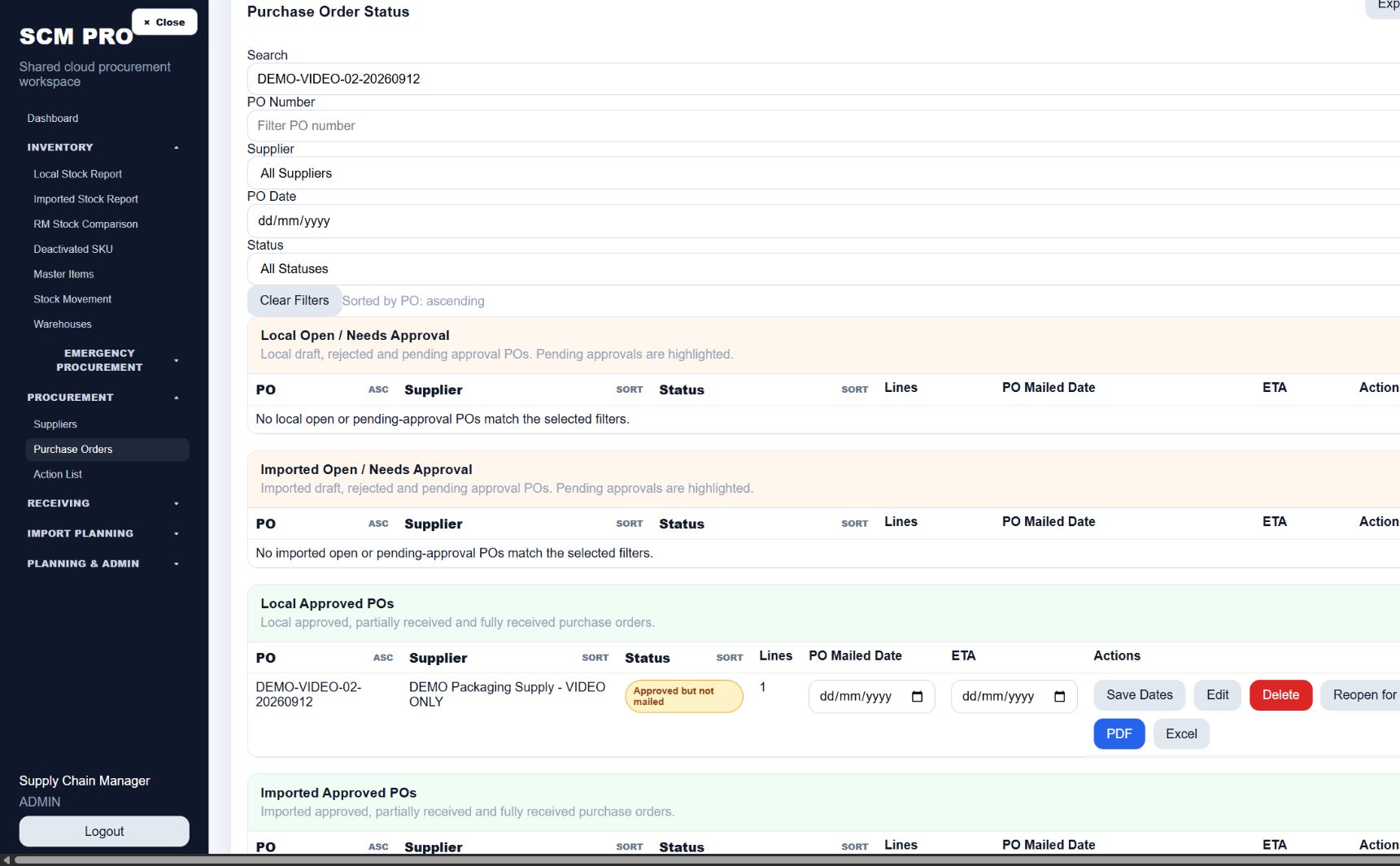
Follow the same bottle item from purchase to production.
A CLOSER LOOK AT SCM PRO
Explore the screens behind your planning, purchasing and stock decisions.
01 / FORECAST & PLAN SUPPLY
Plan monthly raw and packaging material needs from sales forecasts and the bill of materials. Review supply requirements and risk by period.
BUILD YOUR SCM PRO
Launch pricing in USD for one company and one operating site. Five named users are shared across your selected modules.
SETUP & TRAINING
Company setup is $300, charged once. It includes your company profile, Admin Control Center, initial users and permissions, and a 45-minute administrator orientation.
| Module | Fee | Setup includes |
|---|---|---|
| Inventory | $250 | Warehouses, item templates and opening-stock import assistance. |
| Emergency Procurement | $150 | Request workflow, approval rules and initial configuration. |
| Procurement | $300 | Suppliers, purchasing workflow and approval configuration. |
| Receiving | $200 | Receiving locations, document references and receipt workflow. |
| Import Planning | $500 | Supplier lead times, planning parameters and import-data mapping. |
| Other modules | Quoted separately | Forecasting, Converter, Forecast vs Actual, and Backup & Recovery. |
Standard setup covers one company, one operating site, up to five initial users, clean spreadsheet templates and one configuration review. Additional user configuration, historical migration, data cleanup, integrations and custom development are quoted separately. Adding modules later does not repeat the company setup fee.
Module tutorial videos, guides and FAQs are included with your subscription and provided during onboarding. The administrator orientation is included with company setup.
Additional remote assistance: $90/hour, by agreement. On-site training and custom tutorial production are quoted separately.
Routine hosting backups are part of the hosting service. The optional Backup & Recovery module adds customer-operated export and restoration controls.
START SMALL. EXPAND WHEN READY.
Build a configuration around the work your team needs to do.
Confirm your users, data imports, training and implementation quote.
Your provider configures your workspace and unlocks the purchased modules.
Extend the same workspace when you need another workflow.
Explore the empty, view-only interface now. Customer access is activated after implementation; selecting a price does not unlock the public demo.
Explore the public demoLESS CHASING. MORE CLARITY.
Give each purchase order a defined review and approval step before receiving begins.
Keep accepted quantities, delivery notes, invoices, and goods receipt records tied to the order.
See main warehouse and production-floor balances, backed by recorded material movements.
TWO MINUTES. THE WHOLE JOURNEY.
See how a detergent factory orders 9,000 bottles, receives them into the warehouse, and supplies 2,000 to the production floor.
Download the film MP4 · 21 MBKEEP YOUR TEAM CONNECTED
Explore an empty, view-only workspace. No SCM PRO login needed.
TALK TO SCM PRO
Discuss your modules, users, setup and training.
sales@scmpro-scc.comGet help with your workspace and inventory workflows.
support@scmpro-scc.comExisting customers can sign in to their activated workspace. Visitors can explore the separate empty, view-only demo.
Customer LoginExplore the public demo